


Your garden
GardenTrack knows where every plant in your garden lives.
Set up your beds and pots once, and GardenTrack keeps each plant where it lives. Measure a bed, and it shows you what else would fit.
Free to start. No credit card required.
Saturday, July 25
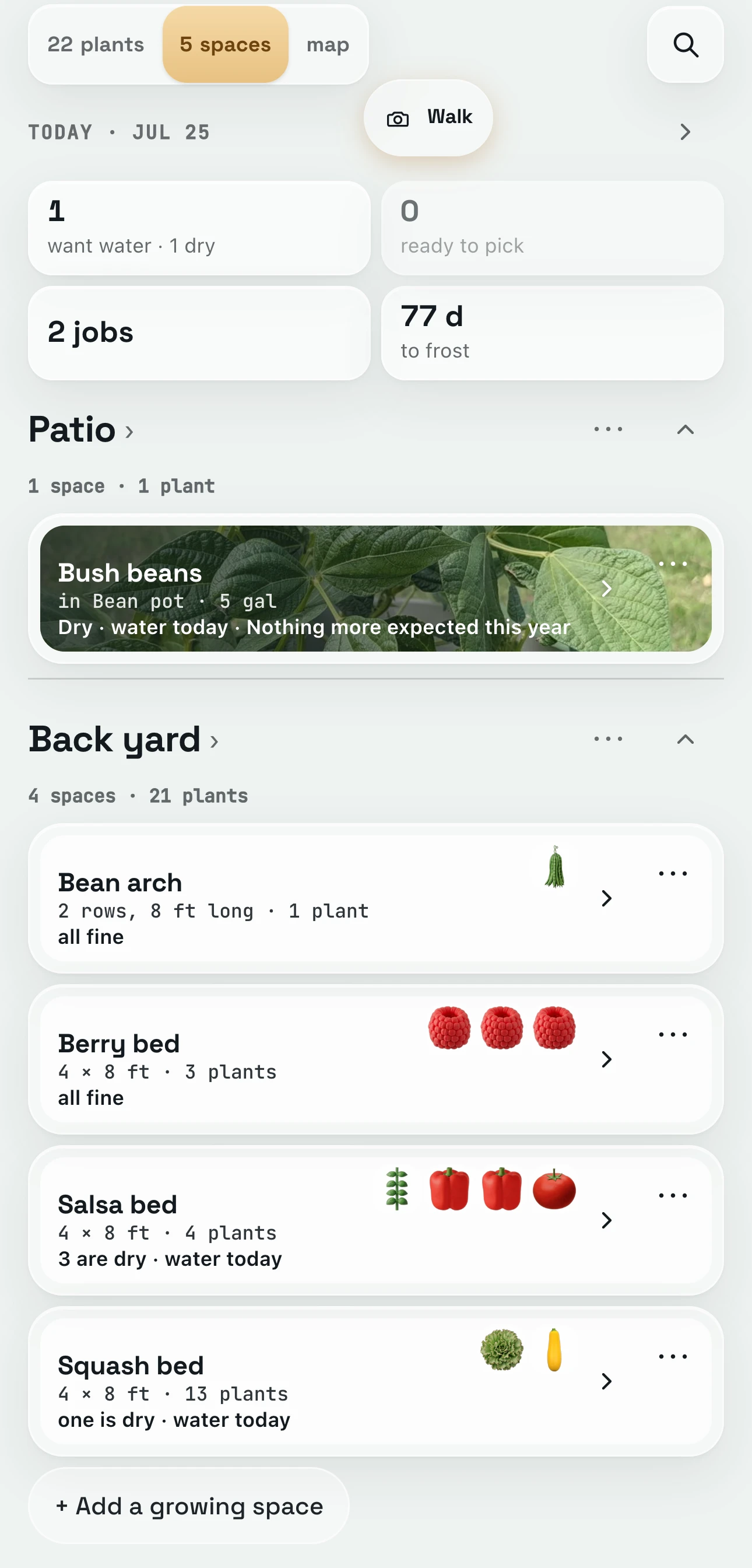
GardenTrack sorts your garden by where things grow.
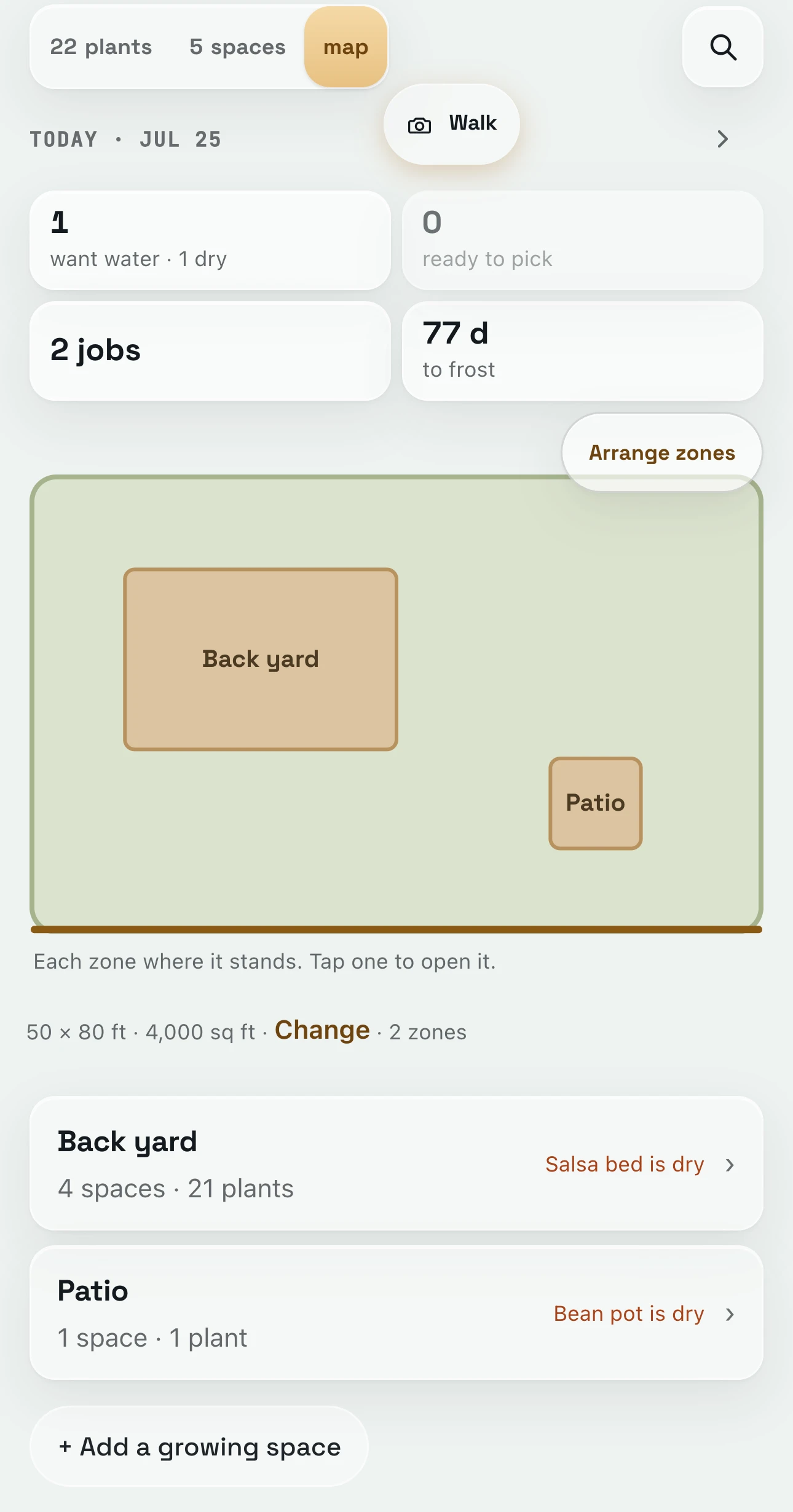
Open the Garden tab and your beds and pots sit under the parts of the yard they’re in, like Back yard and Patio, each with how many plants it holds. A pot with one plant in it opens straight to that plant.
Up top, a strip says what today wants: here that’s one round of watering, two other jobs and 77 days to frost. Tap one of those and the cards below narrow to just the plants it’s about.
Same morning
Give your yard a size, and GardenTrack draws it to scale.
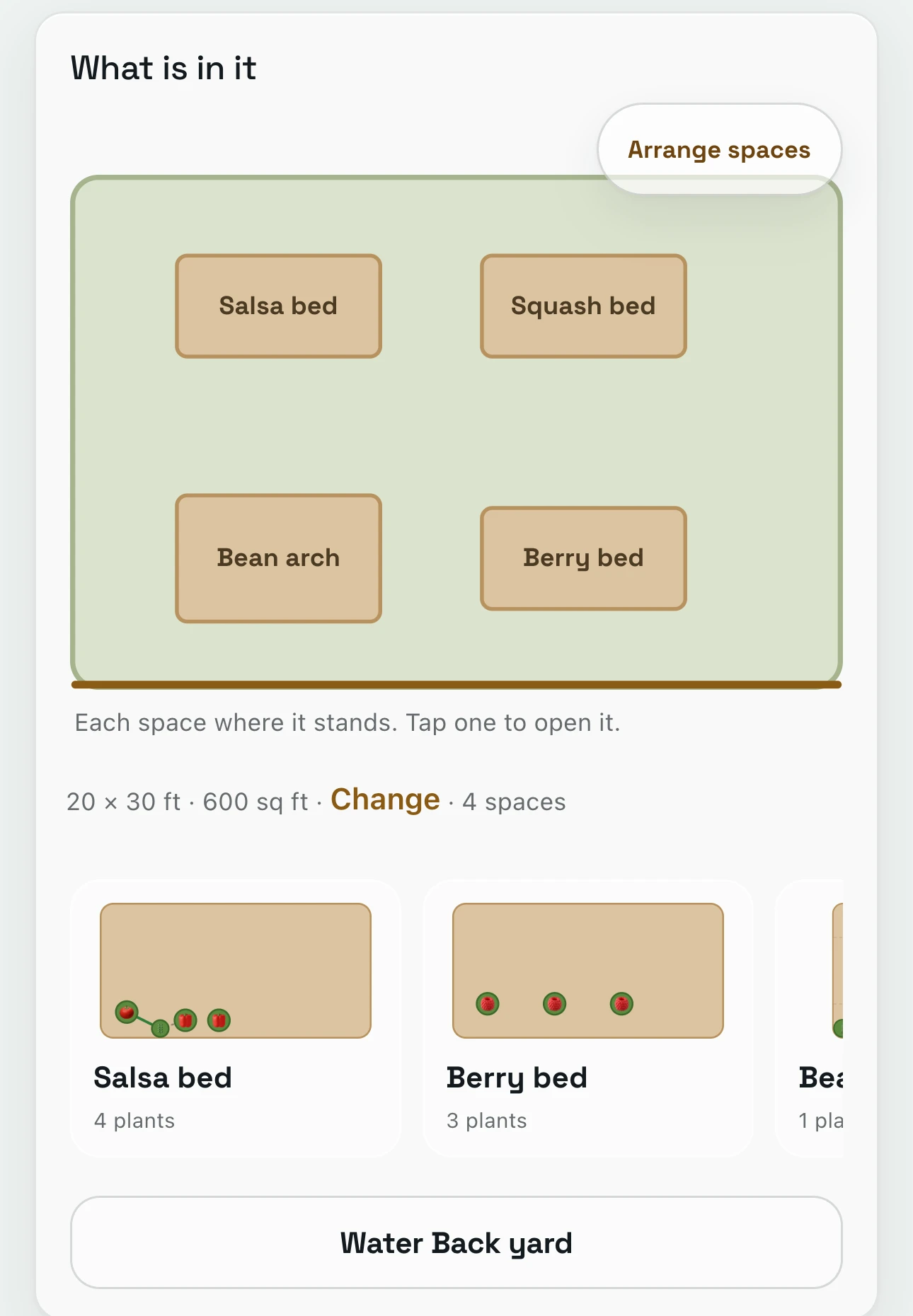
Tap map at the top, and GardenTrack draws each part of your yard where it stands. Open one, and its beds are drawn in their spots.
Pick a size, like 50 by 80 feet, then tap Arrange zones and drag each one to where it really is. Anything you haven’t placed yet is drawn dashed, and anything without a size is drawn paler, so you can see what’s left to fill in.
The salsa bed
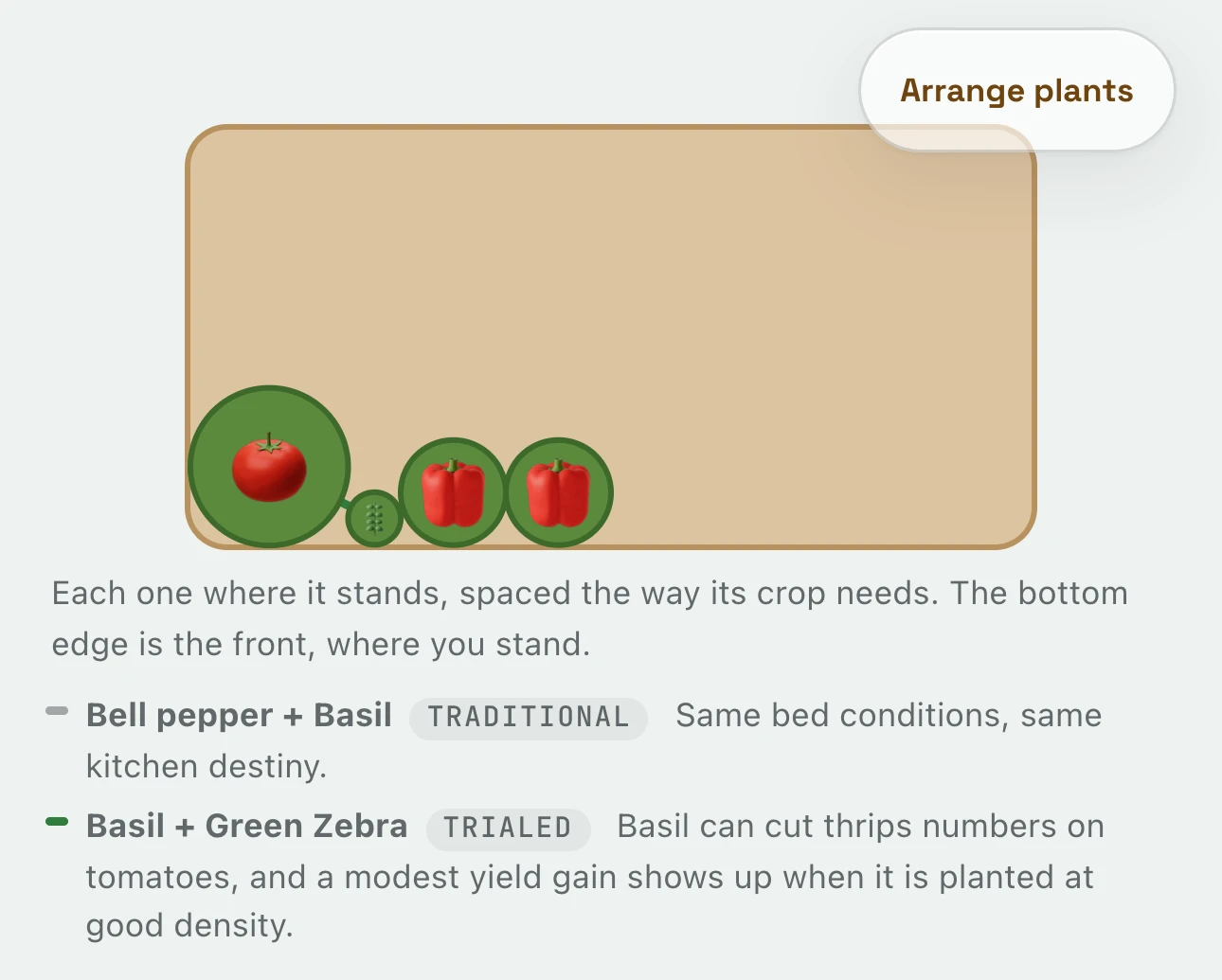
Open a bed, and GardenTrack draws each plant where it stands.
On a bed you’ve measured, each plant gets the room its crop needs. The bottom edge is the front, where you stand.
When two plants side by side help or bother each other, GardenTrack draws a line between them and says how sure that is, from a field test down to an old garden habit. Here, basil next to the tomato has a field test behind it: it can cut down on thrips.
Any day
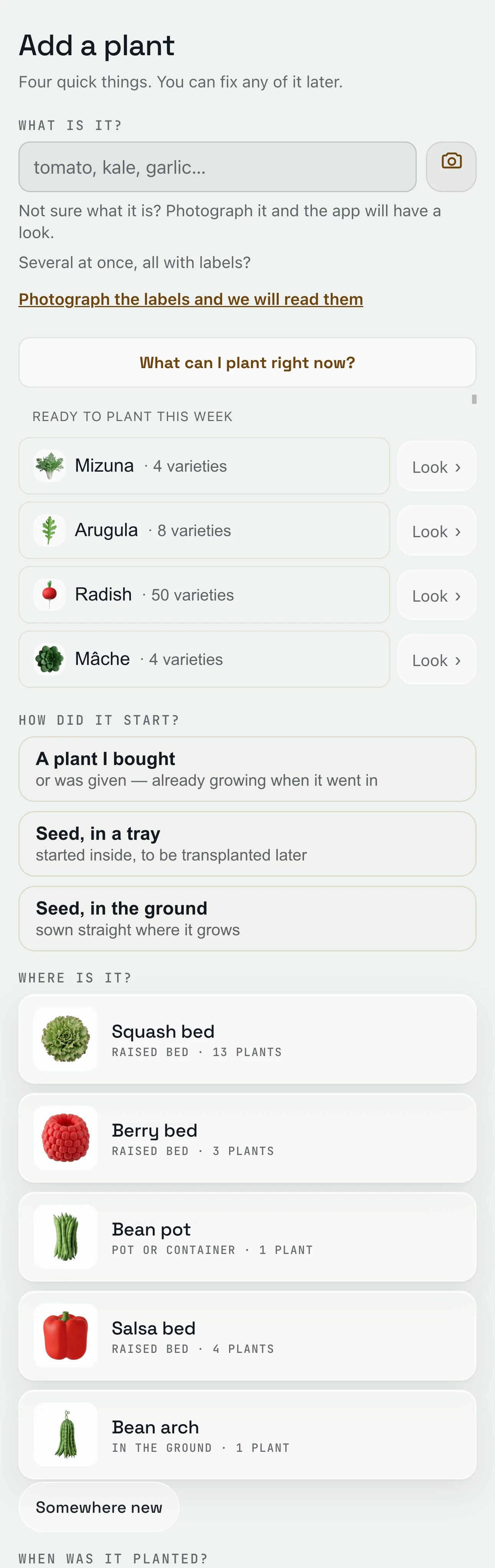
GardenTrack asks four quick questions to add a plant.
What is it, how did it start, where is it, and when was it planted. You can fix any of it later.
Not sure what it is? Snap a photo and GardenTrack takes a look, or photograph a few nursery tags at once and it reads them. A free account can read two tag photos, and a photo look counts as one of its free Talk messages. Typing it in always works.
An empty bed
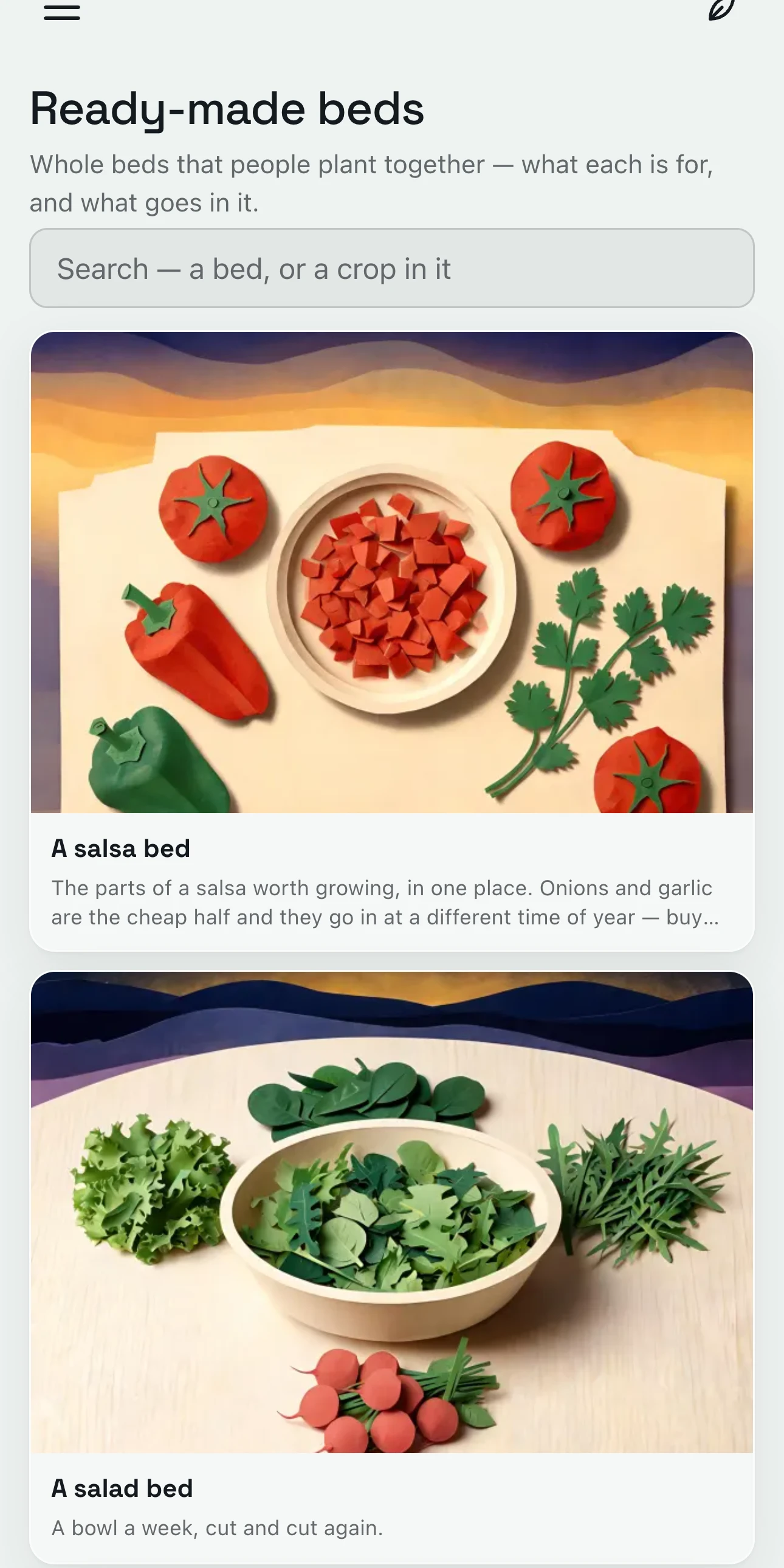
GardenTrack has ten ready-made beds to start an empty one from.
Like a salsa bed, a salad bed or a bed for the bees. Each one says what it’s for and what goes in it.
Open one from your own bed and tap its plants to add them, one at a time. Nothing is saved until you do, so you only take what you want, and if the bed has a size, GardenTrack shows the ones that still go in today.
The squash bed
GardenTrack tells you what else would fit in a bed.
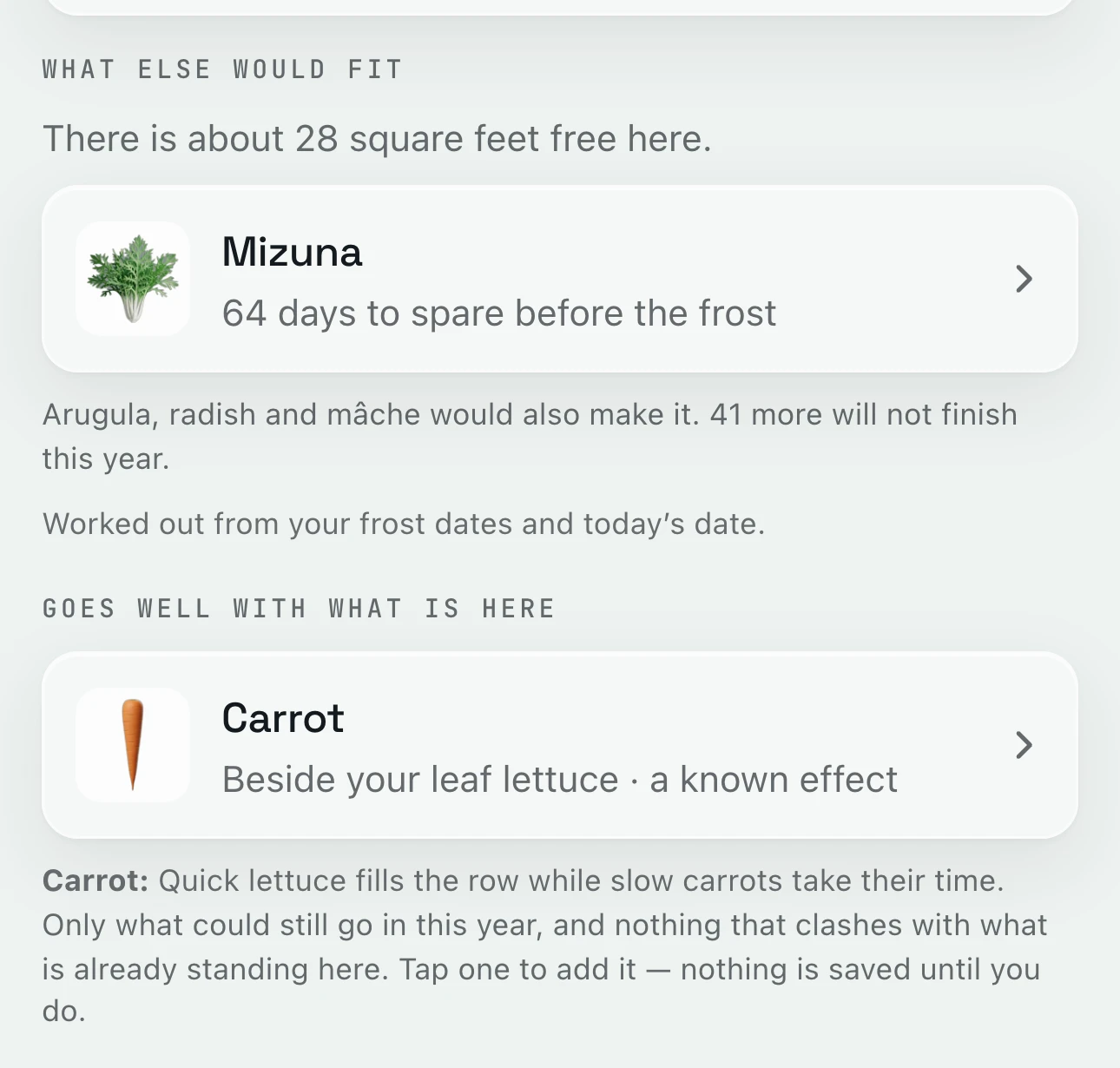
Under each bed you’ve measured, GardenTrack works out the room that’s left and what could still go in before your frost.
In the squash bed there’s about 28 square feet free, and mizuna has 64 days to spare before frost. It also names what goes well with what’s already there, like carrots beside the lettuce, and leaves out anything that would clash.
Everything else GardenTrack keeps track of.
- TodayIt shows your weather and today’s jobs, bed by bed, before you head outside.
- Frost and heatIt works out frost dates for your spot, warns you days ahead, and names the plants to cover on the night.
- Journal and free Season RecapIt keeps a record of your garden from year to year, and the free Season Recap lets you talk through how it went.
- Calendar and What still fitsIt lays out your season week by week and shows what you can still plant this year.
- Garden PlannerYour whole plan for the rest of the year, and the time it takes.
- Photos and garden walksWalk the garden spot by spot and snap as you go. Every photo is kept with its plant.
- TalkAsk a question in your own words, and the answer starts from what you’ve planted and logged.

Set up your own beds and pots, and see what else would fit.
Free to start. No credit card required.