



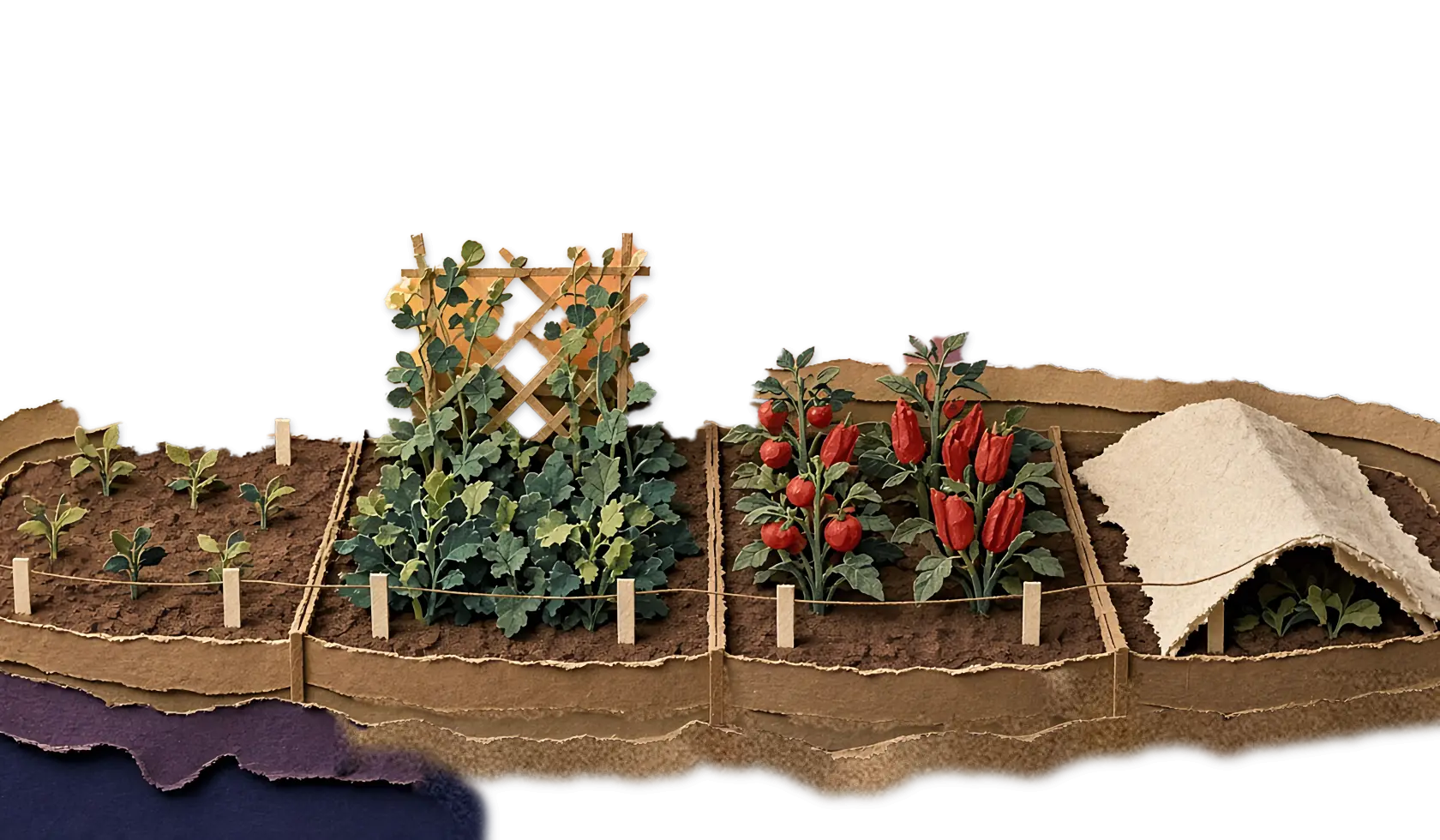

Garden Planner
GardenTrack plans the rest of your year, and tells you how much work it’ll be.
It picks what still finishes in each bed before frost and counts the work. One tap puts it all on your Calendar.
Free to start. No credit card required. On a free account you can open the Garden Planner on your own garden and look around, but nothing saves. Join the beta and it’s all open until July 13, 2027.
Saturday, July 25
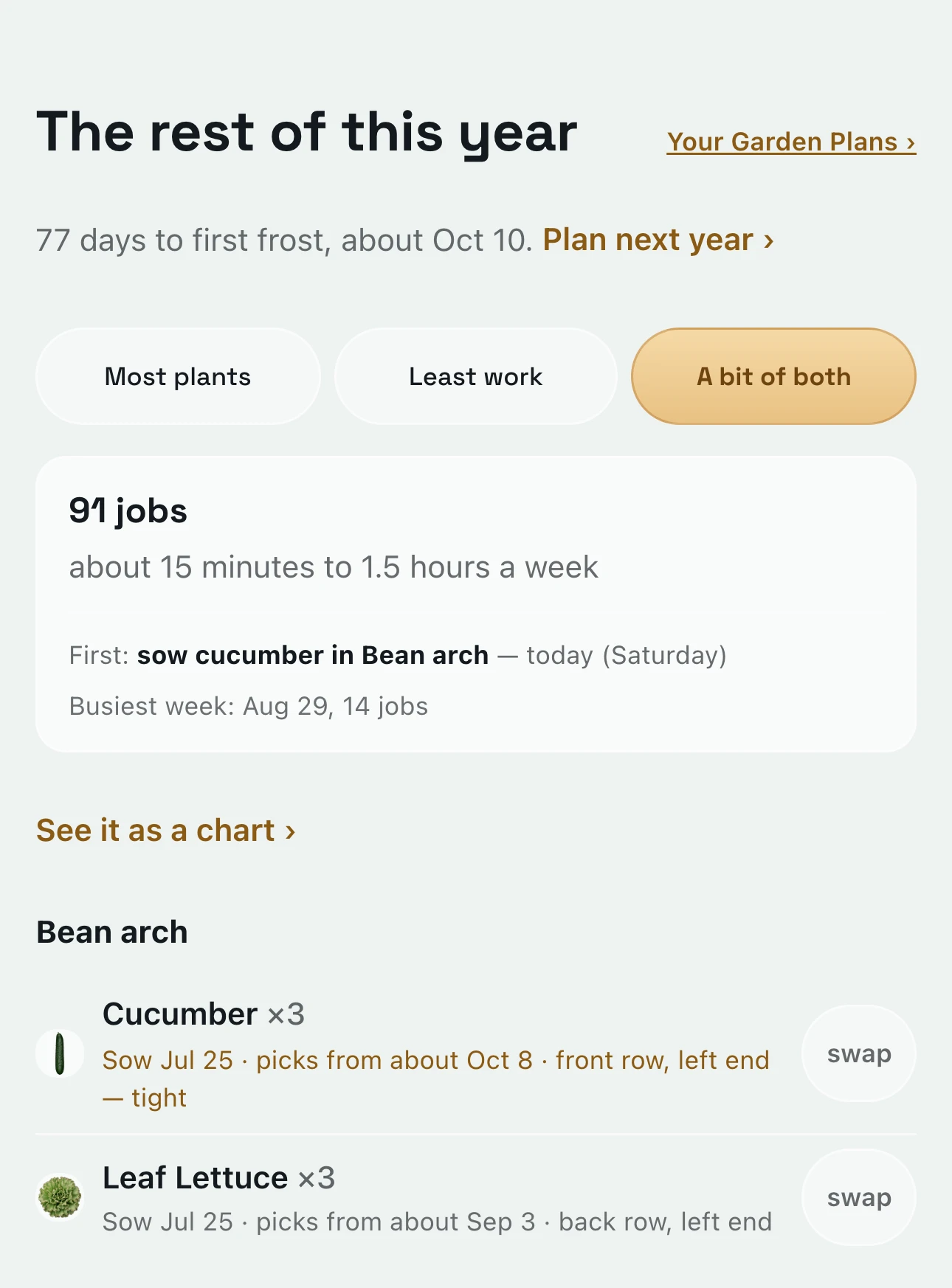
It’s late July, and GardenTrack plans every bed out to frost.
Open the Garden Planner and it starts from your own beds and your own frost date. Here that’s 77 days, with frost about Oct 10.
Each bed gets crops that still finish in time, with the day to sow and about when picking starts. Up top, it adds up the work: 91 jobs, about 15 minutes to an hour and a half a week, and the busiest week, Aug 29. The first job is today, cucumbers along the bean arch, and they start picking about Oct 8, two days before frost.
Same morning
GardenTrack can put more kinds in each bed, or give you less to do.
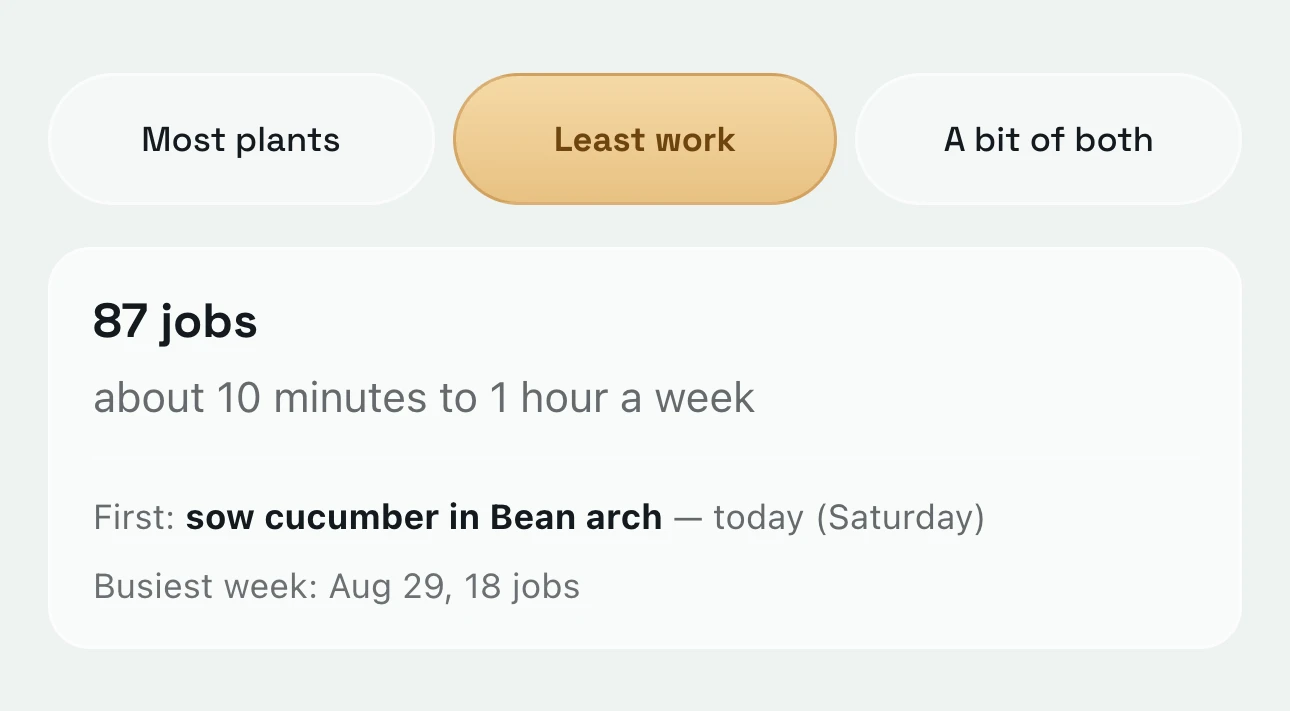
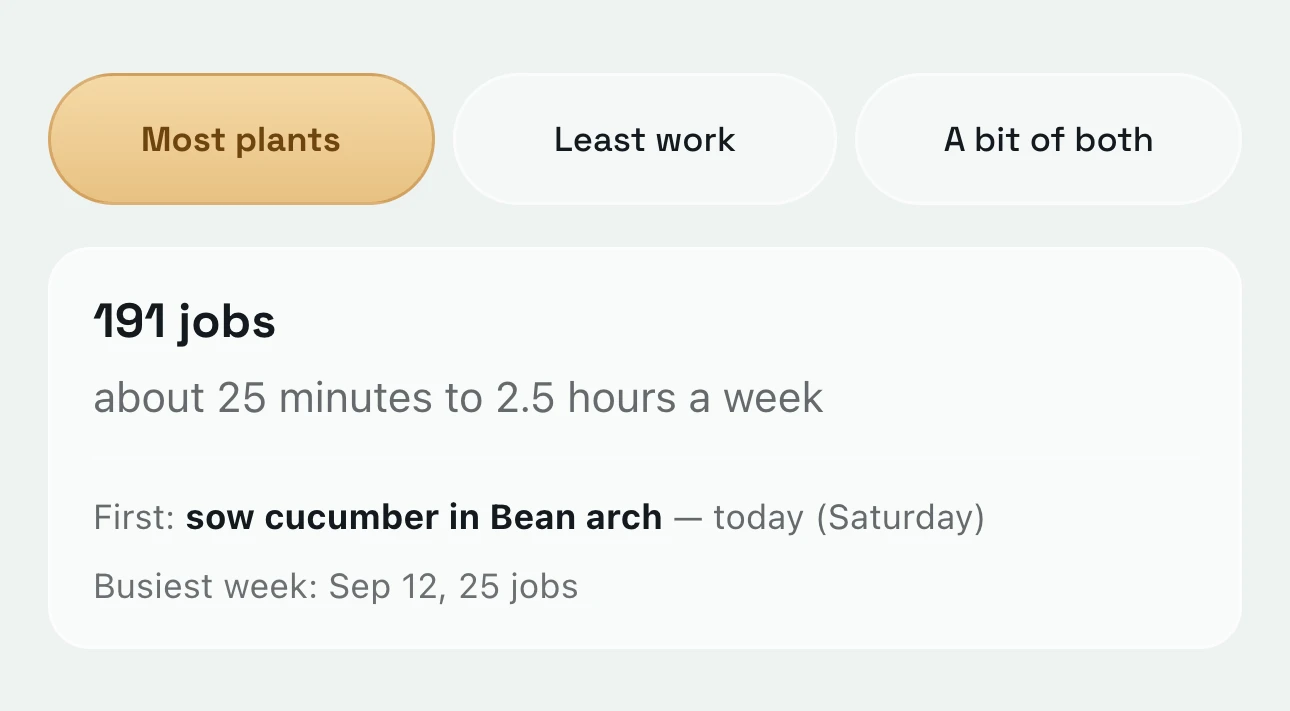
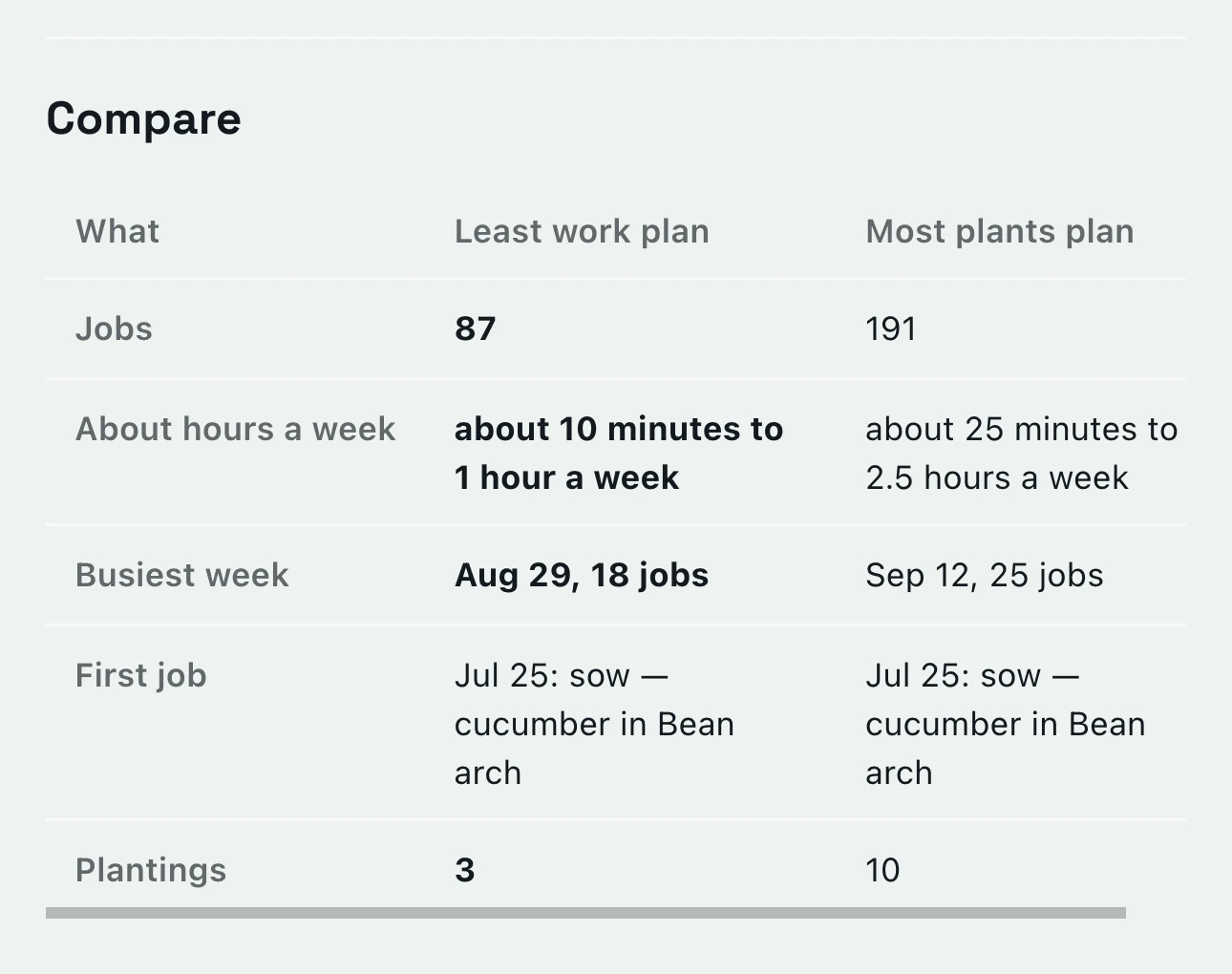
Pick Most plants, and each bed gets up to four different crops. Pick Least work, and each one gets a single crop. A bit of both sits in between.
Here, Most plants comes to 191 jobs and about 25 minutes to two and a half hours a week. Least work comes to 87 jobs and 10 minutes to an hour, and its busiest week is Aug 29 instead of Sep 12. Save both and Your Garden Plans lays them side by side, so you pick with the numbers in front of you.
When you’ve picked
One tap, and GardenTrack puts all of it on your Calendar.
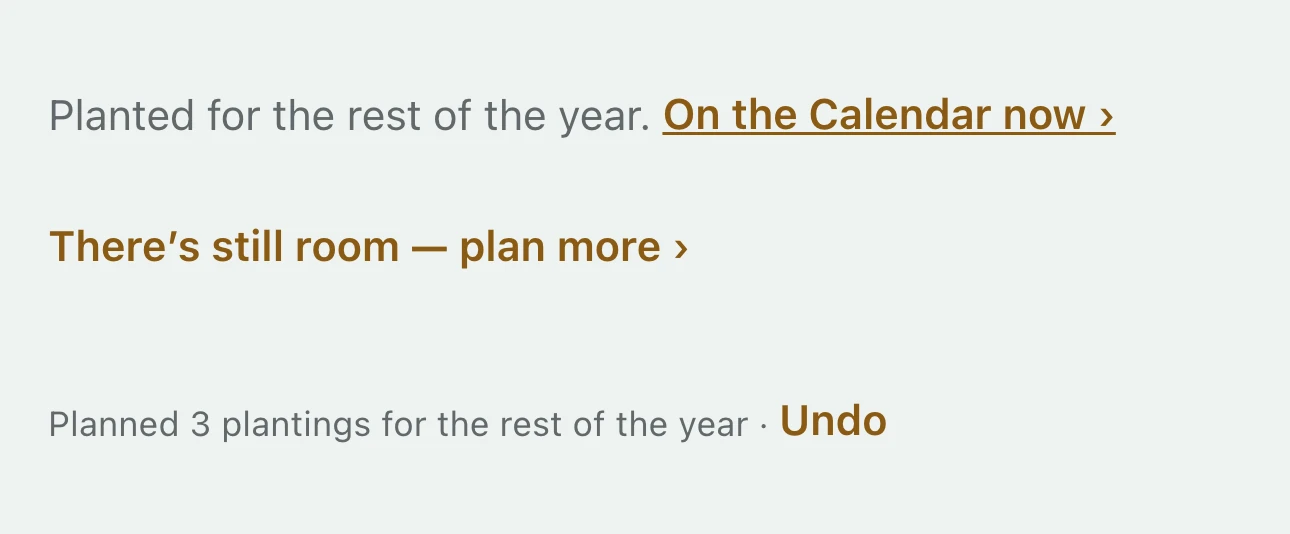
Before you tap, the button says how many plantings it’ll add. Then each one lands on your Calendar on its own day, and Today tells you when it’s time to put it in.
They go on as planned, drawn in outline on the Calendar until you say they’re in the ground. And if you change your mind right away, one Undo takes back the whole batch.
Saturday, October 3
A week before frost, GardenTrack lays out next year.
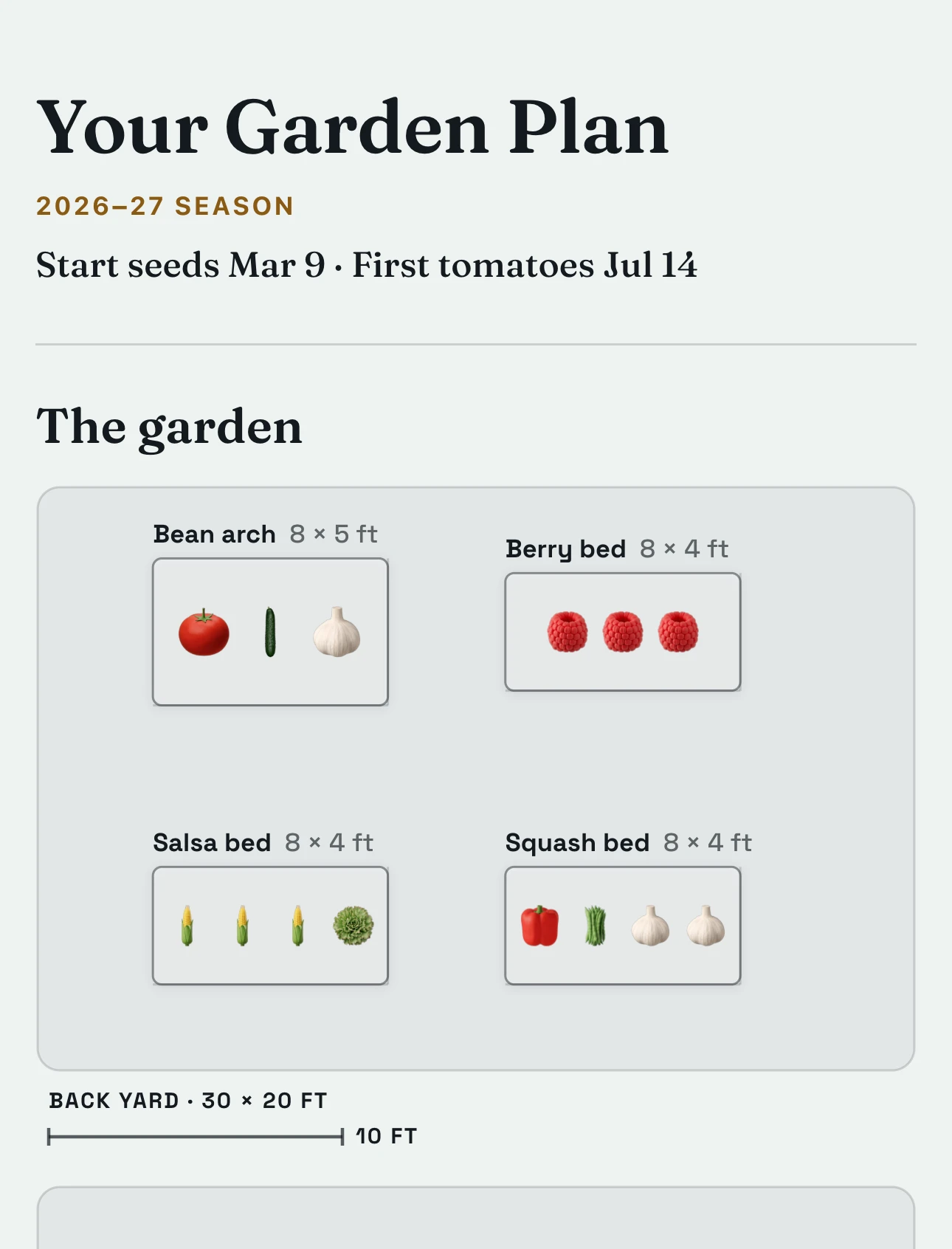
In the last three weeks before frost, the Garden Planner opens on next year. Save it, and its plantings go on your Calendar, and it becomes your Garden Plan, with each bed drawn and what goes in it.
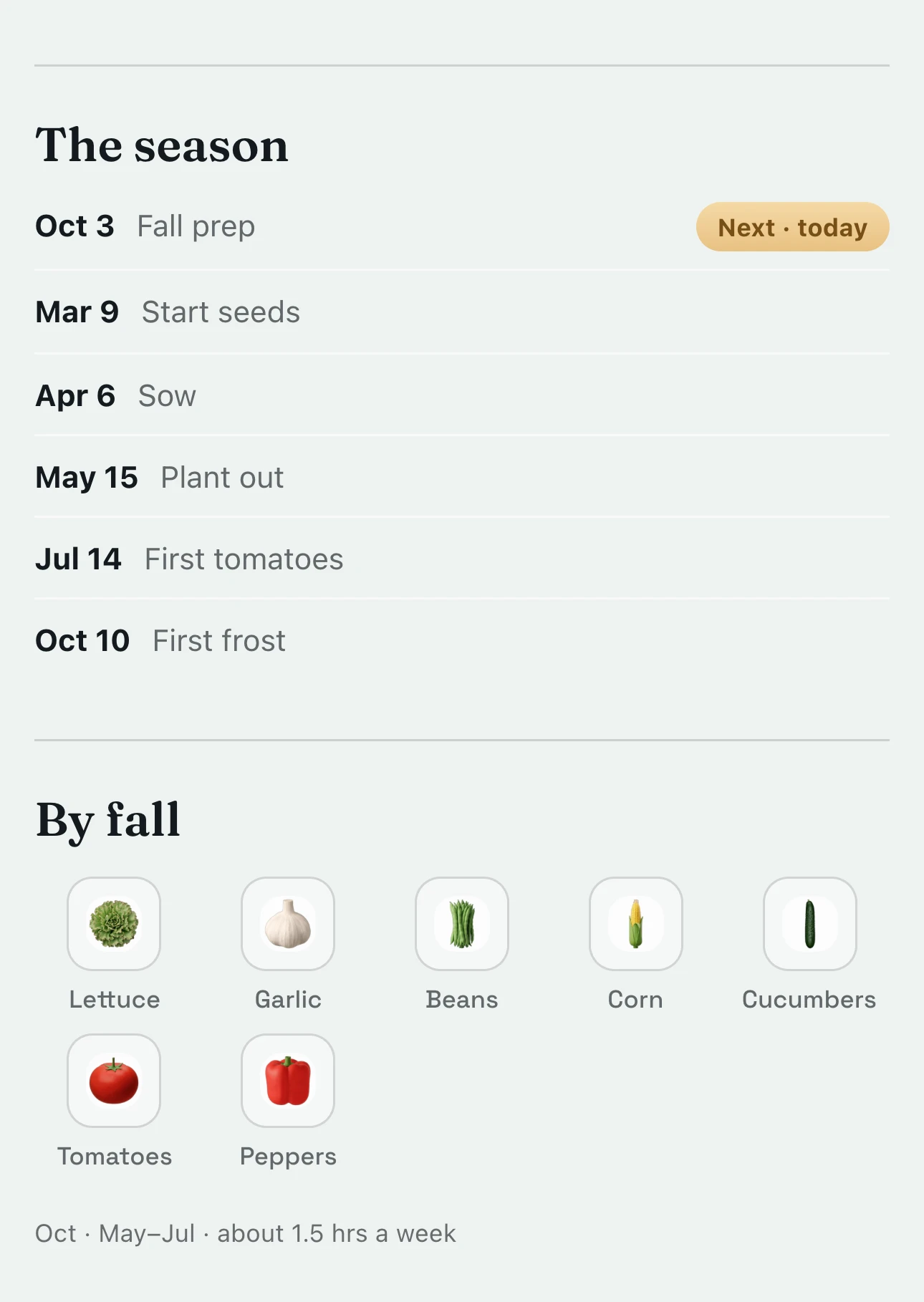
Below the drawing, the season runs in order. Here that’s fall prep and garlic today, seeds indoors on Mar 9, planting out on May 15 and the first tomatoes about Jul 14. Under By fall, it lists what you’ll be picking, from lettuce and garlic to corn and peppers.
Before spring
GardenTrack tells you what to buy, and when to buy it by.
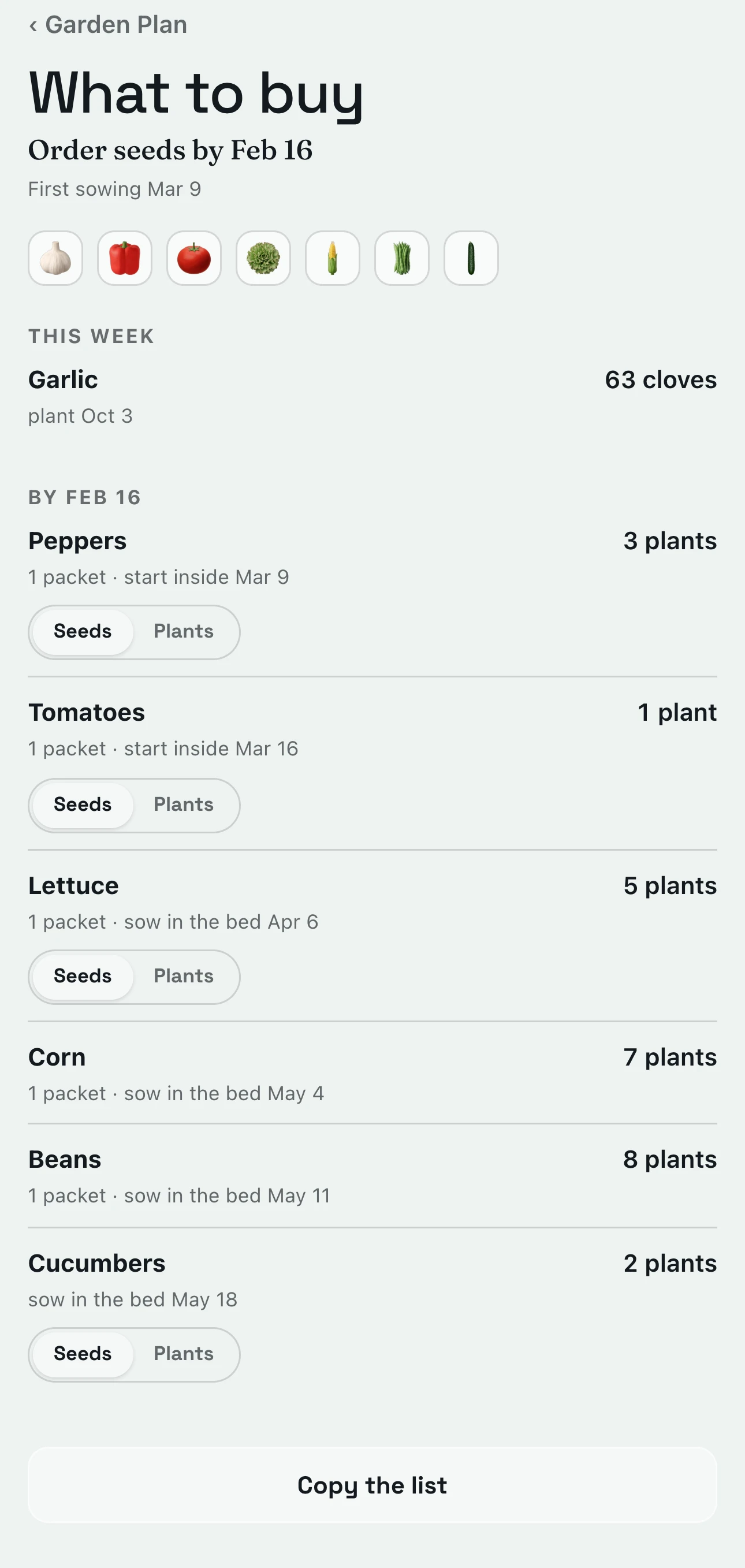
What to buy turns your Garden Plan into a shopping list: how many plants of each, how many seed packets, and the day to have them by.
Here you’d order seeds by Feb 16, three weeks before the first sowing on Mar 9, and the first garlic goes in today. Some crops come as plants too. Flip one to Plants, and the line tells you when to plant them out instead. Then copy the list and take it to the store.
From now to spring
GardenTrack says when each bed has to be ready.
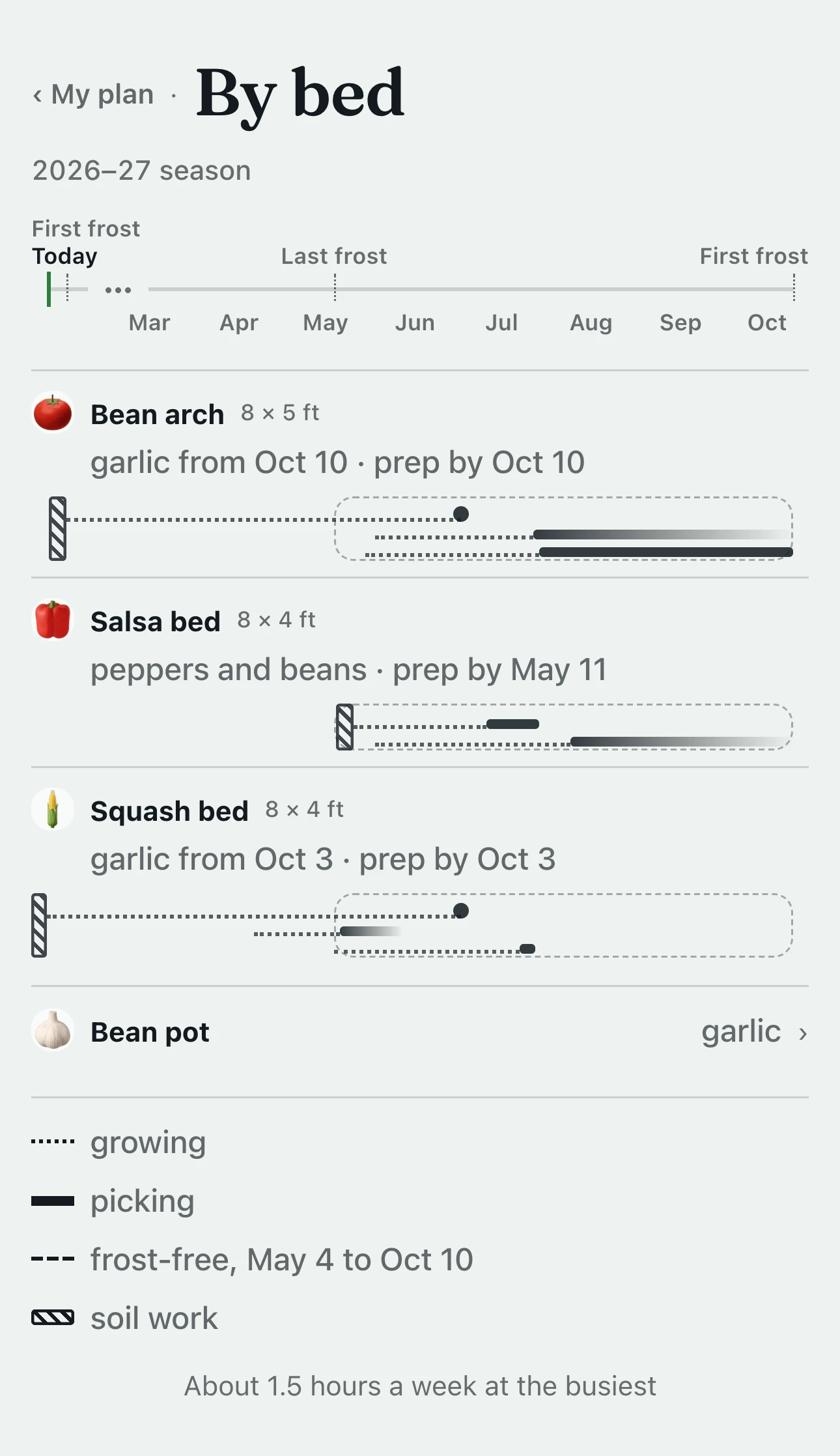
By bed draws the year one bed at a time, with the day each bed needs to be ready by.
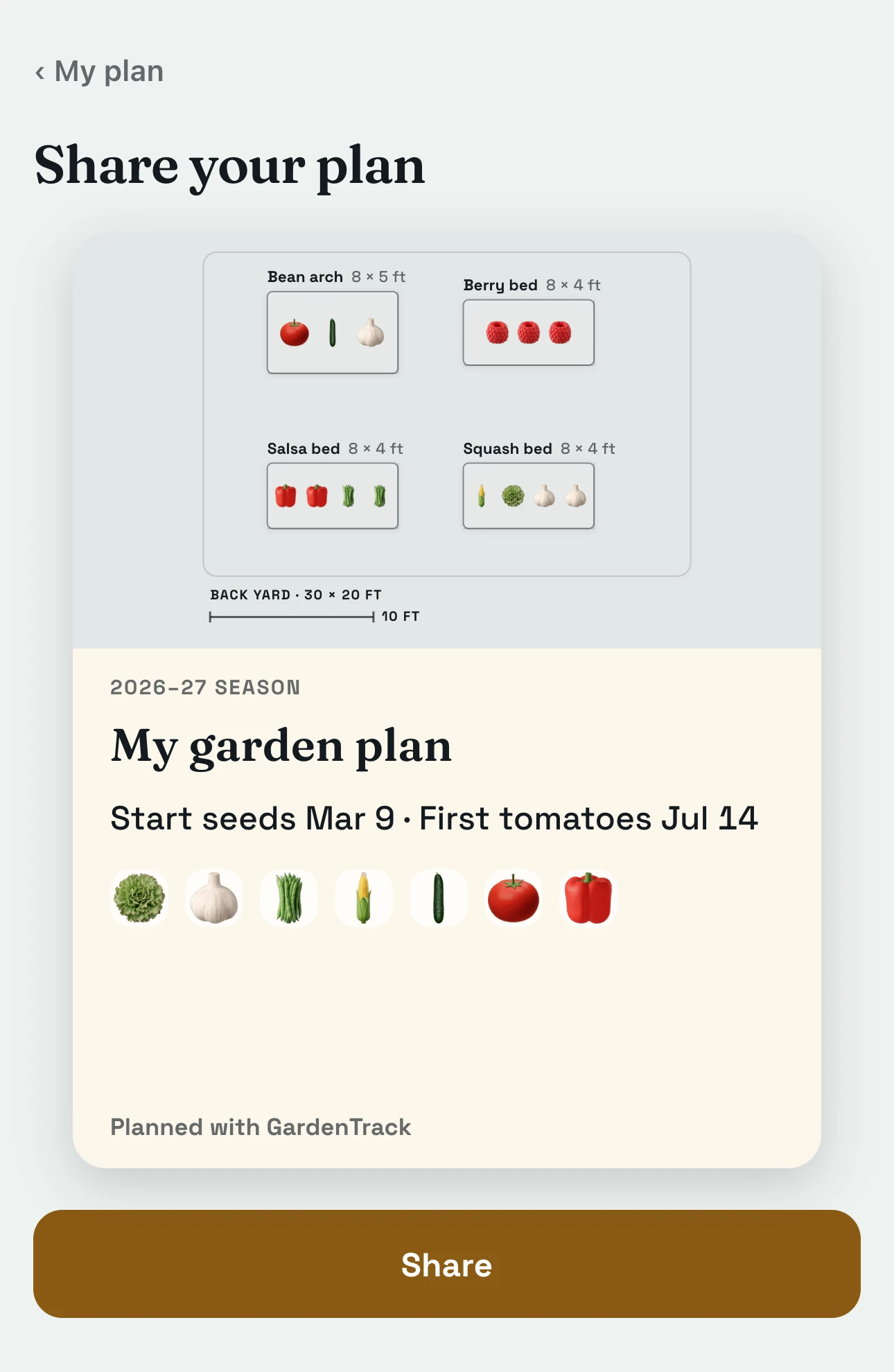
Garlic goes into the squash bed today, and into the bean arch on Oct 10, after the cucumbers finish at frost. The salsa bed needs to be ready by May 11 for its peppers and beans. At the busiest, the whole garden comes to about an hour and a half a week. When you like how it looks, there’s a card of it to share.
Everything else GardenTrack keeps track of.
- TodayIt shows your weather and today’s jobs, bed by bed, before you head outside.
- Frost and heatIt works out frost dates for your spot, warns you days ahead, and names the plants to cover on the night.
- Journal and free Season RecapIt keeps a record of your garden from year to year, and the free Season Recap lets you talk through how it went.
- Your gardenIt keeps every plant where it really lives, whether that’s a bed, a pot, a tree or the greenhouse.
- Calendar and What still fitsIt lays out your season week by week and shows what you can still plant this year.
- Photos and garden walksWalk the garden spot by spot and snap as you go. Every photo is kept with its plant.
- TalkAsk a question in your own words, and the answer starts from what you’ve planted and logged.

Let GardenTrack lay out the rest of your year, and see what it’ll take.
Free to start. No credit card required.