




Journal
GardenTrack keeps a journal of your garden as you go, so next spring you’ll know what worked.
What you water, pick and photograph goes in the journal with its date. When a plant’s done, you say how it went, and next year GardenTrack shows you what you said.
Free to start. No credit card required.
Saturday, August 22
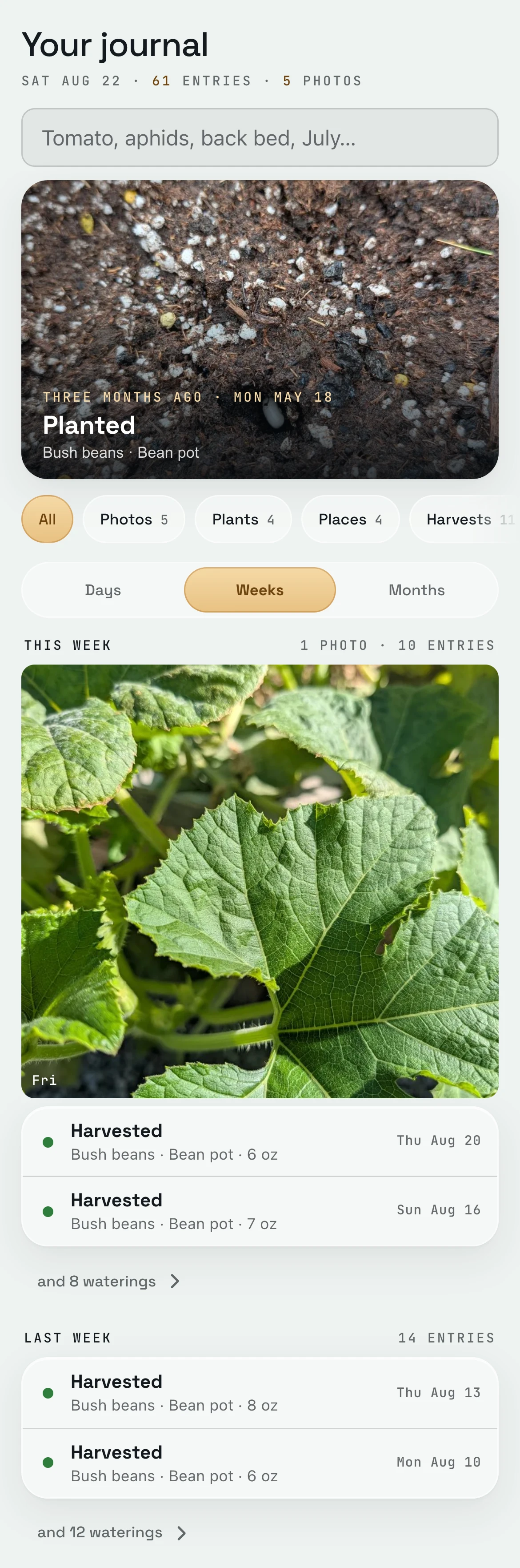
Every time you tap Watered or take a photo, GardenTrack writes it in the journal.
Each one goes in with the date, and the newest week’s on top.
The waterings fold into one line that says “and 8 waterings,” so a summer of hose duty doesn’t bury the day you picked your beans. Looking for something? Type beans July in the search, and it’s all there.
Since May 18
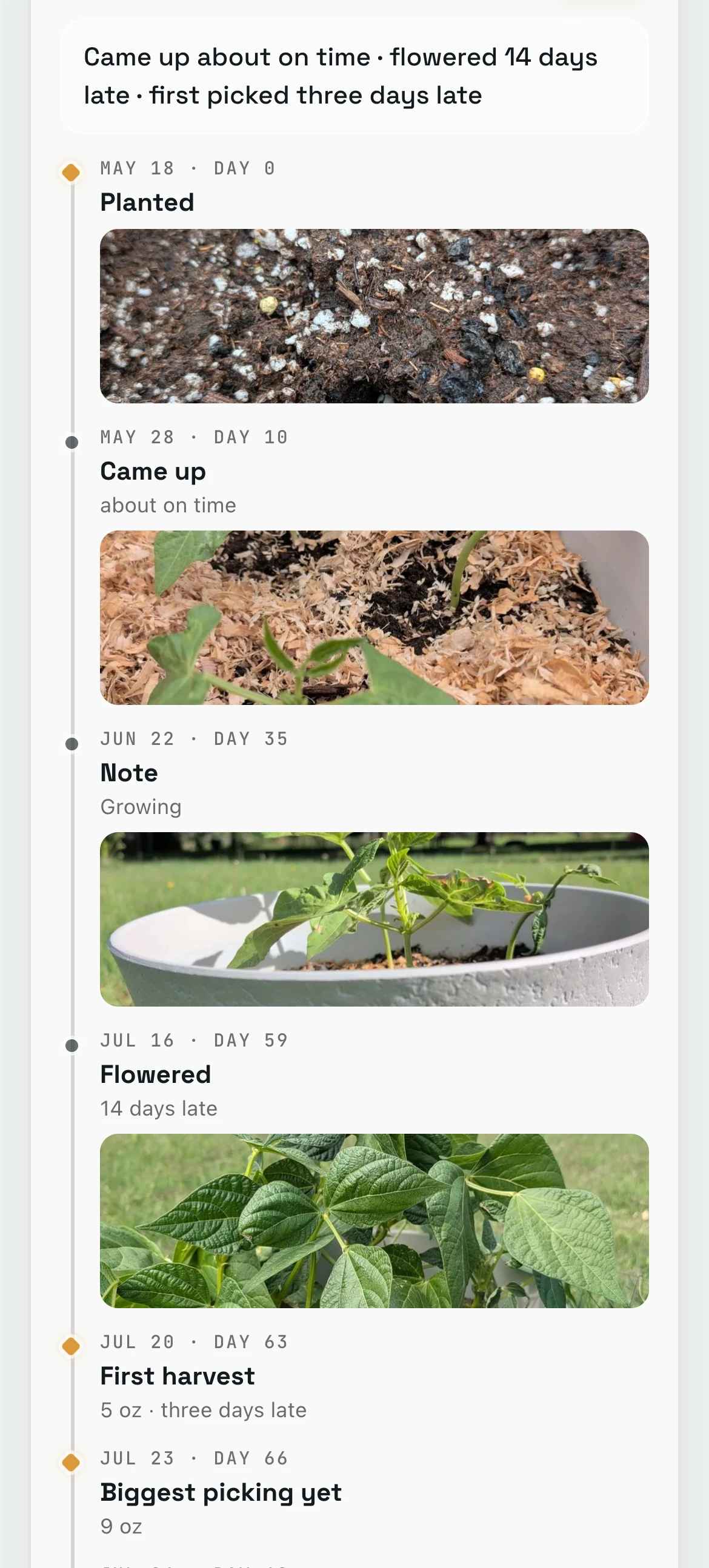
Each plant gets its own story, from the day it went in.
Open a plant and its story shows each big moment as a chapter, with the day count and the photo you took that week.
Up top, one line says how it ran against a typical plant of its kind. These beans came up about on time, flowered 14 days late and got picked three days late, which is worth knowing before you plant them again.
Tuesday, September 15
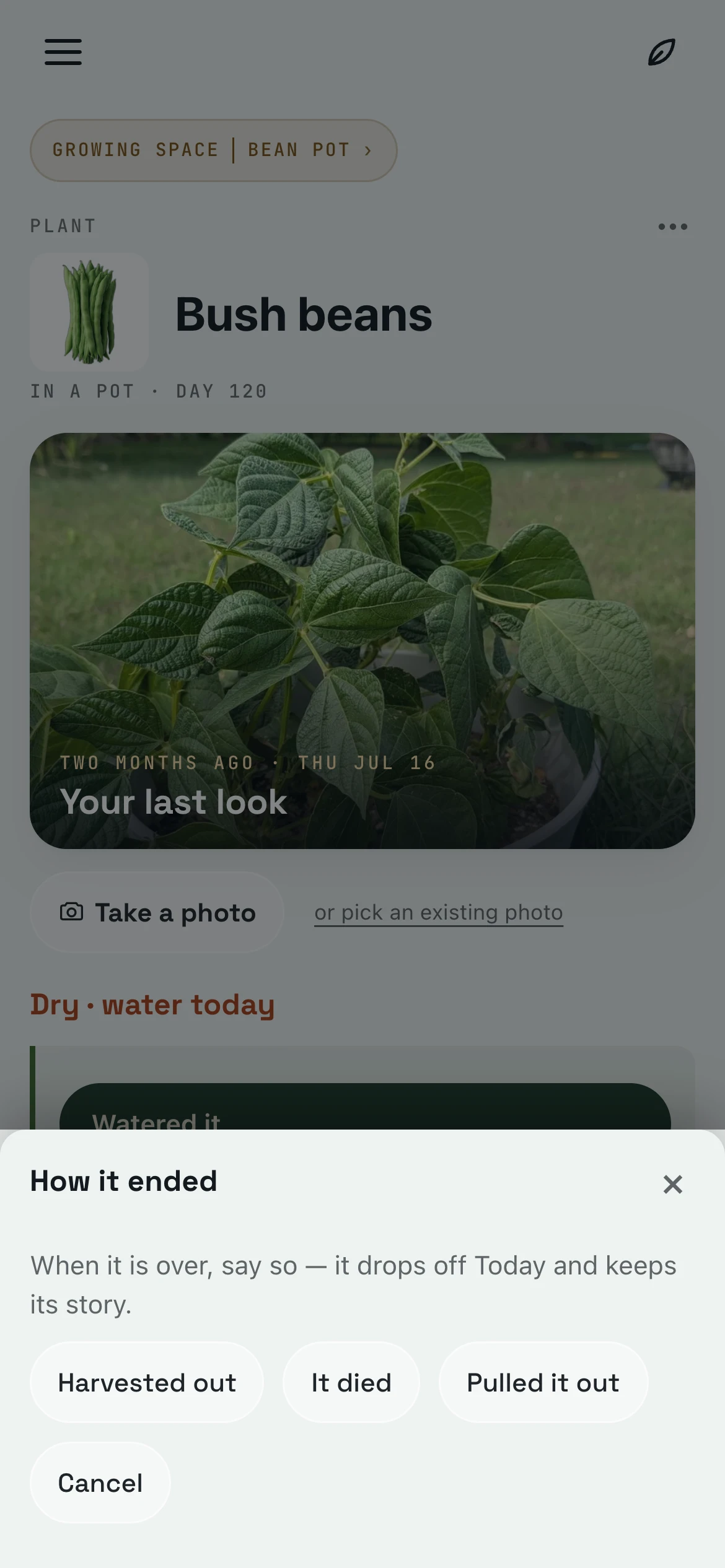
When a plant’s done, you tell GardenTrack how it went.
Open the plant’s ⋯ menu, tap Say it is done, and pick Harvested out, It died or Pulled it out. The plant drops off Today, and its whole story stays.
Then GardenTrack asks if you’d grow it again, and if there’s anything to remember. Say yes, and add a note while it’s fresh, like pick every other day in late July or they go tough.
November
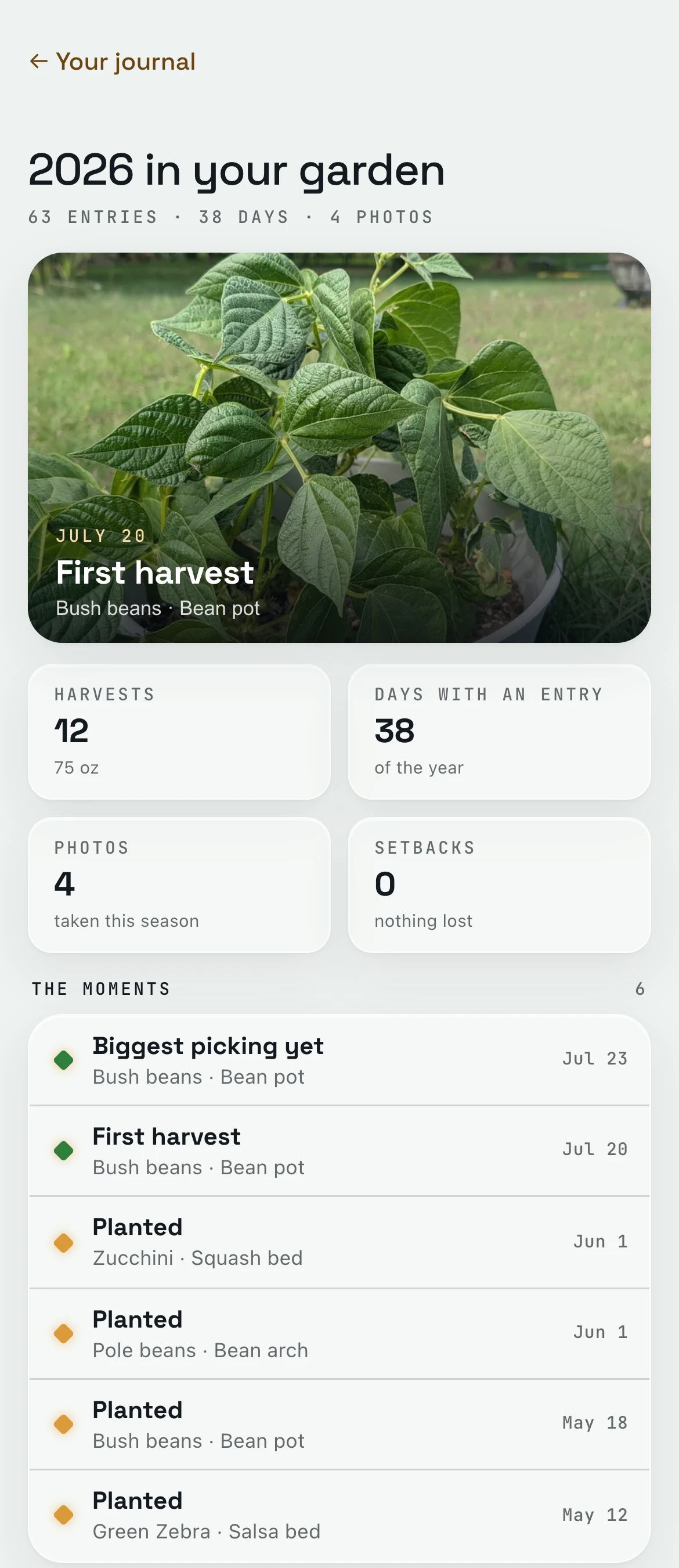
Come November, GardenTrack reads the whole season back to you.
Tap This season in the journal and the year’s on one page: your first harvest, how much you picked, the days you logged something, your photos and anything you lost.
Below that are the moments worth keeping, like the first picking and the biggest one. In your first season there’s no last year yet, so it doesn’t make one up. From your second year on, it sets this year beside last year’s.
The next May
Next spring, GardenTrack tells you what you said last year.
Plant bush beans again, and their Story tab shows what you said in September: grow it again, and pick every other day in late July.
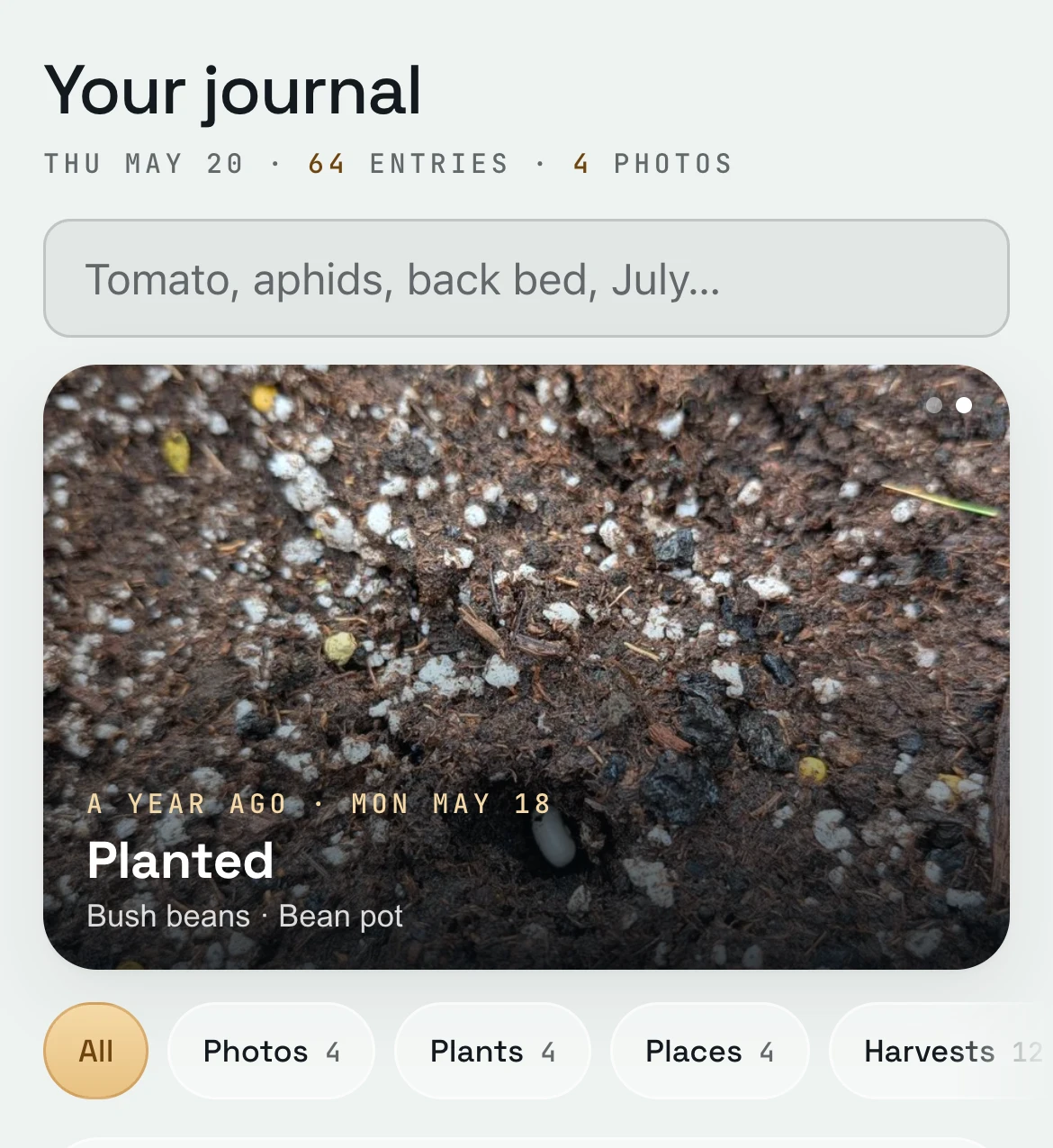
Swipe the photo at the top of the journal and there’s one from a year ago this week: the beans going into that same pot. On the plant’s page, This week, last year shows what last year’s beans were up to around now, with a photo where there is one.
In a pot · day 3
 Bush beans
Last year you said: grow it again — “Pick every other day in late July or they go tough.”
Your Bush Bean in the Bean pot
Everything else GardenTrack keeps track of.
- TodayIt shows your weather and today’s jobs, bed by bed, before you head outside.
- Frost and heatIt works out frost dates for your spot, warns you days ahead, and names the plants to cover on the night.
- Your gardenIt keeps every plant where it really lives, whether that’s a bed, a pot, a tree or the greenhouse.
- Calendar and What still fitsIt lays out your season week by week and shows what you can still plant this year.
- Garden PlannerYour whole plan for the rest of the year, and the time it takes.
- Photos and garden walksWalk the garden spot by spot and snap as you go. Every photo is kept with its plant.
- TalkAsk a question in your own words, and the answer starts from what you’ve planted and logged.
Start your garden’s journal, and next spring you’ll know what worked.
Free to start. No credit card required.